
Weeks of environmental workflows, done in minutes.
Two integrated tools, RrAD Engine and eMap, that simplify and automate site work planning and post-data-collection workflows. Bring your environmental data to life – organize, screen, evaluate, model, visualize, then turn it into decisions and report-ready deliverables, faster and without compromising accuracy.
RrAD Engine
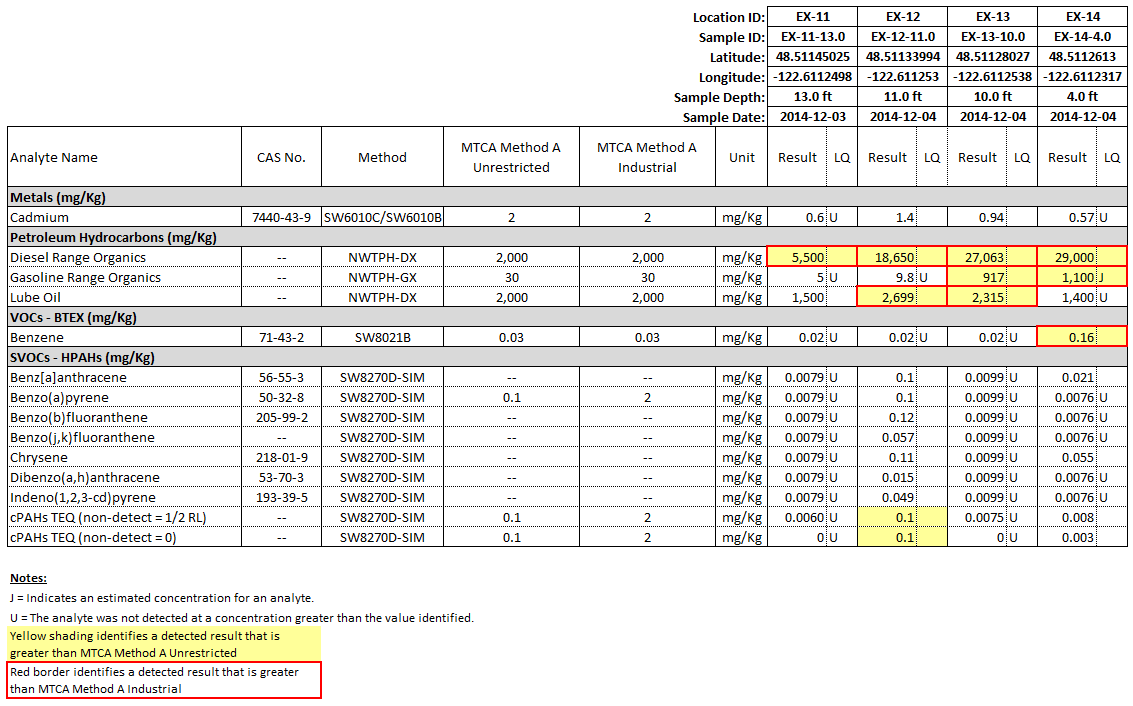
Transform raw data (EDDs) into report-ready tables in just a few clicks. Calculations, screening, and preliminary QA/QC handled for you.
Explore RrAD Engine →eMap
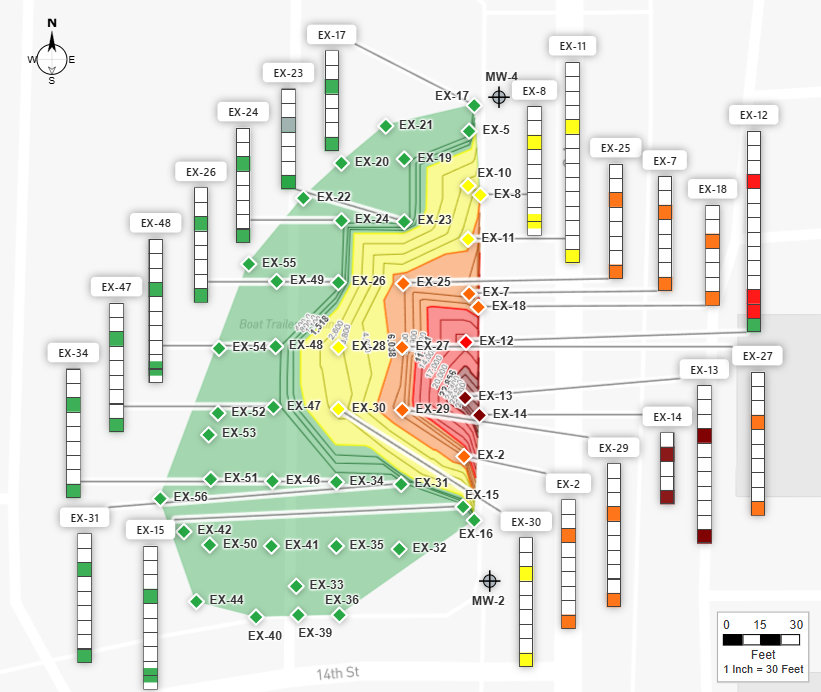
Plan your site work, visualize the nature and extent of contamination, analyze data gaps, perform excavation/dredge modeling, and generate report-ready figures in minutes.
Explore eMap →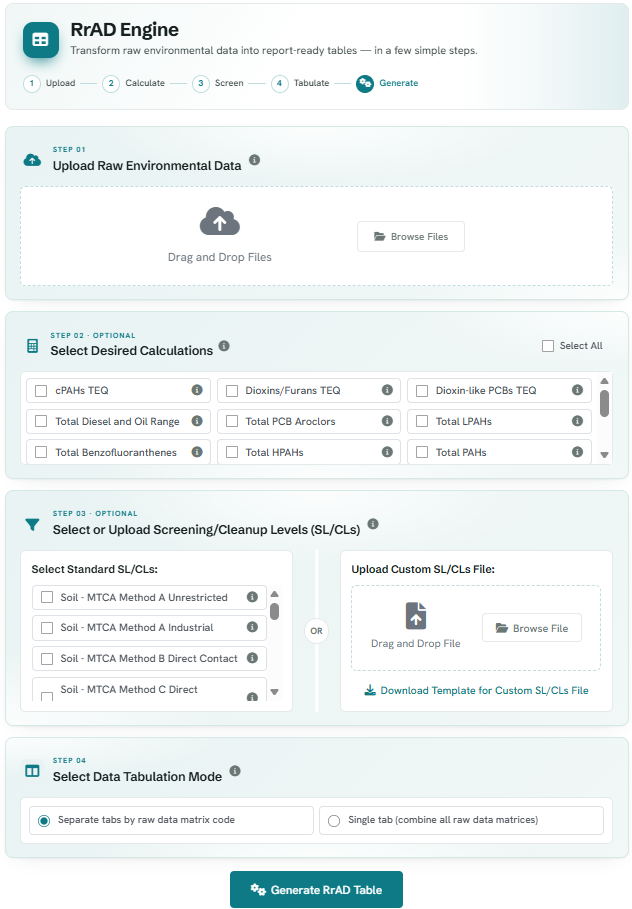
Transform raw data (EDDs) into report-ready tables in just a few clicks.
Upload your raw environmental data and the RrAD Engine runs calculations, screens results, performs preliminary QA/QC, and formats everything into clean, report-ready data tables.
- Work with a wide range of raw data formats: EQuIS, EIM, and other firm- and lab-specific formats.
-
Run data calculations, including:
- TEQs (cPAHs, Dioxins/Furans and Dioxin-like PCBs)
- Summations (Petroleum Hydrocarbons, PAHs, PCBs, Pesticides and PFAS)
- OC Normalization
- Data Statistics
- Screen against your screening/cleanup levels or 50+ pre-loaded federal and state standards.
- Get preliminary data QA/QC, including unit consistency checks and identifying data quality issues based on lab qualifiers.
- Generate report-ready Excel data tables.
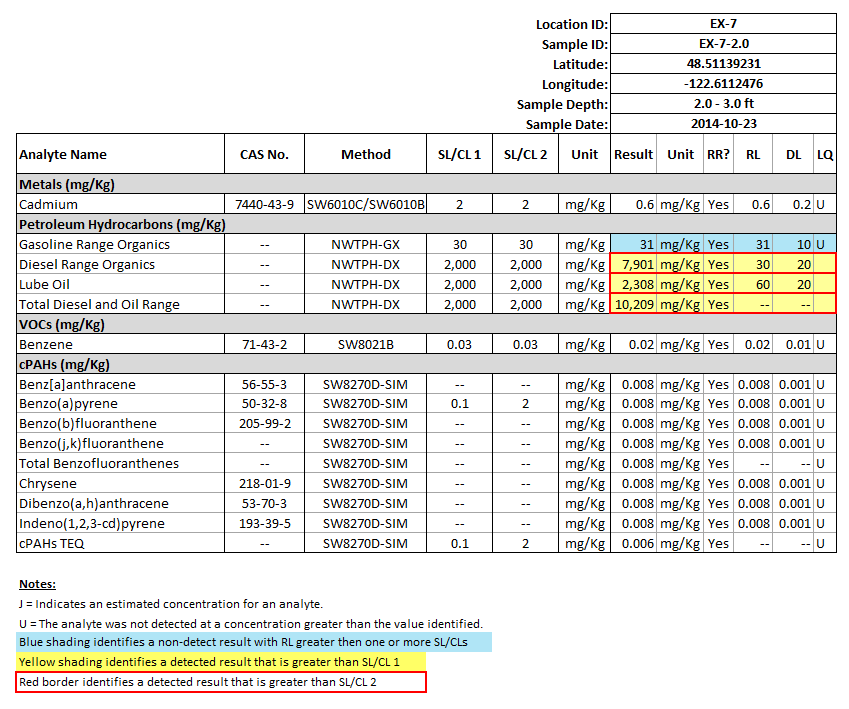
Excel data tables, on-demand
Your data, organized, formatted, and report-ready. Each RrAD Table includes the following:
- Sample metadata – location ID, sample ID, latitude, longitude, sample depth, and sample date.
- Analysis metadata – analyte name, CAS No., method, test type, and fraction analyzed.
- Result, Limits & Qualifiers – result, result unit, lab-identified reportability (yes/no), reporting limit, detection limit, and qualifiers (lab, validated, and final).
- Data calculations
- Screening/Cleanup Levels (SL/CLs)
- Exceedance flagging
- Preliminary QA/QC
- Data organization
- Table borders and formatting
- Footnotes
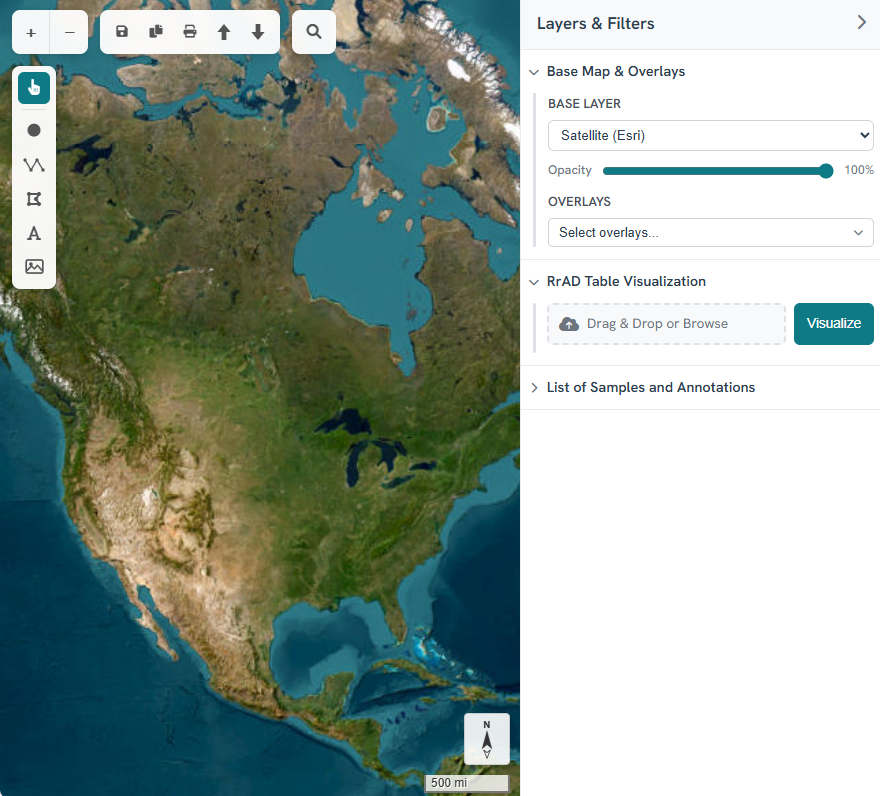
Plan your site work, visualize and model environmental data, and print report-ready figures – all in minutes.
- Layer – Choose a street, topo or satellite base map, then layer it with survey data or features such as parcel boundaries and user-defined grid.
- Draw, Annotate & Measure – Draw points, lines, and polygons on a live map; annotate, measure distance/area, and insert images.
- Trace – Overlay a PDF site plan or image and trace features onto a live map.
- Import & Export – Move map data to and from other GIS applications (e.g., Esri ArcGIS, QGIS, and Google Earth).
- Print – Generate to-scale, report-ready figures with a custom title block. The legend builds itself from what’s on the map, significantly reducing manual work.
- Visualize – Upload Excel data tables to instantly visualize environmental data, then filter to customize the view.
- Evaluate Nature & Extent of Contamination – Use data ladder, concentration gradient, and pie chart maps to visualize and evaluate site contamination.
- Model Remedial Excavation/Dredge & Analyze Data Gaps – Model removal depths and estimate volumes instantly. Dashed contours flag data gaps; solid contours mark estimated clean limits.
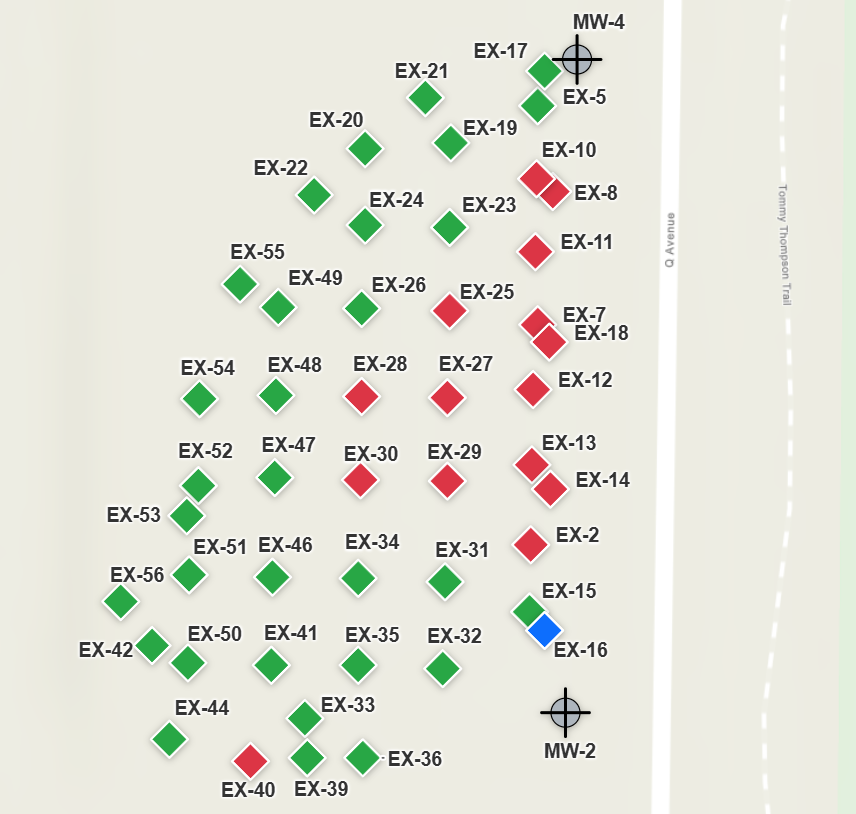
Exceedance Map
Visualize which locations exceed screening or cleanup levels at a glance.
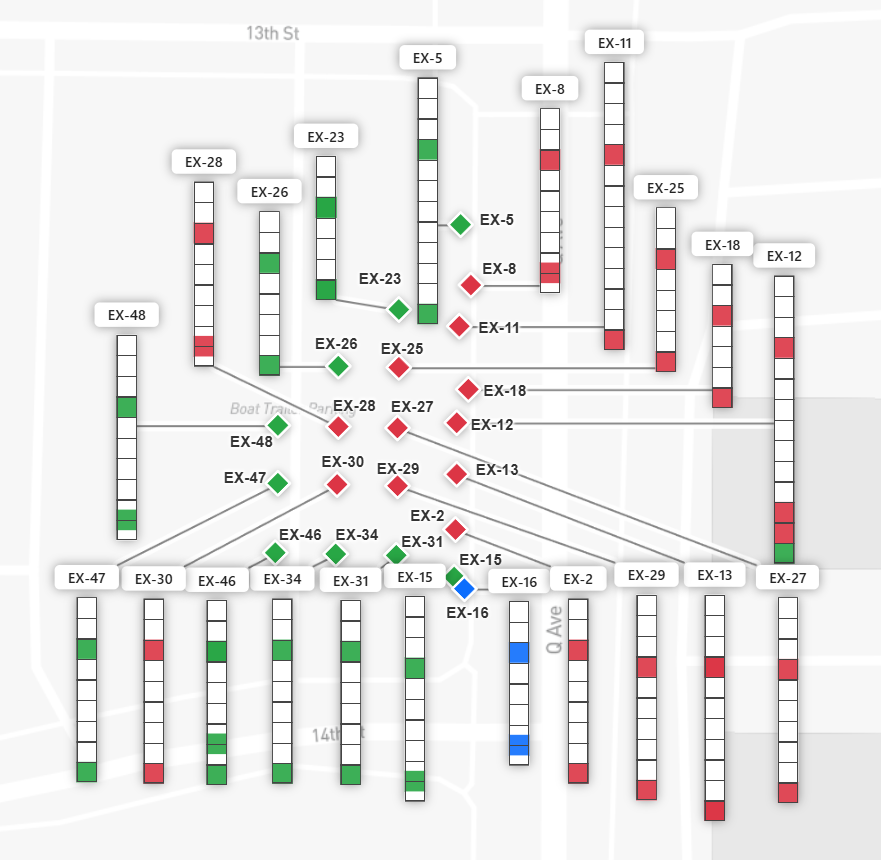
Data Ladder Map
Compare results across depth at every location.
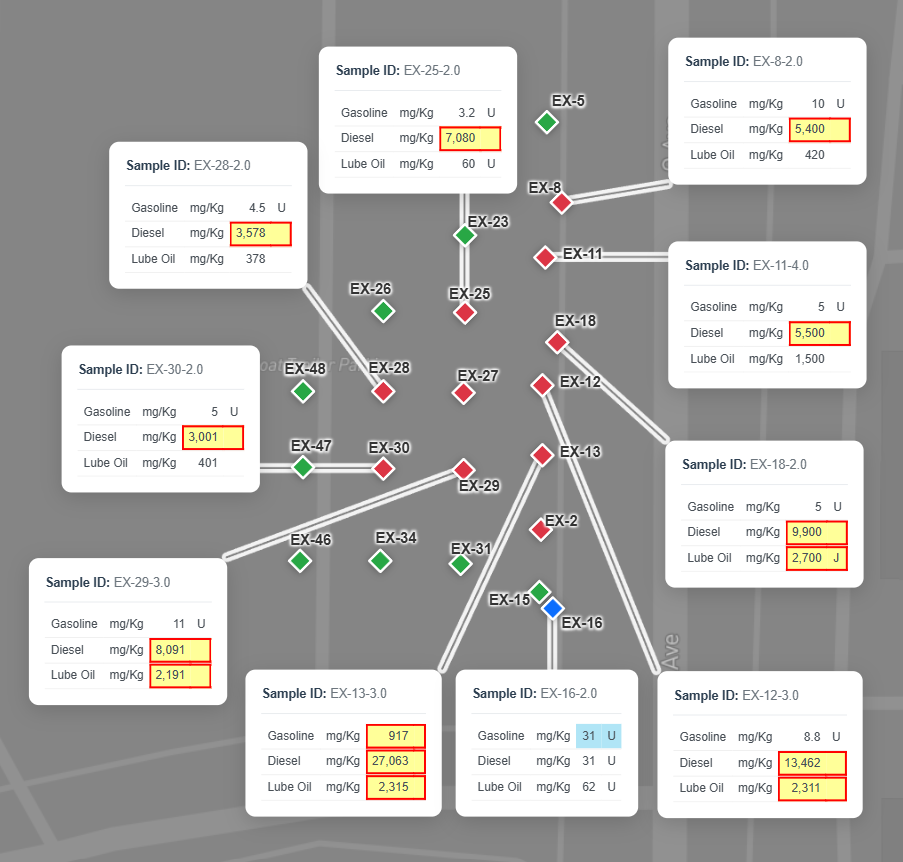
Data Table Map
Build custom data tables and place them on the map.
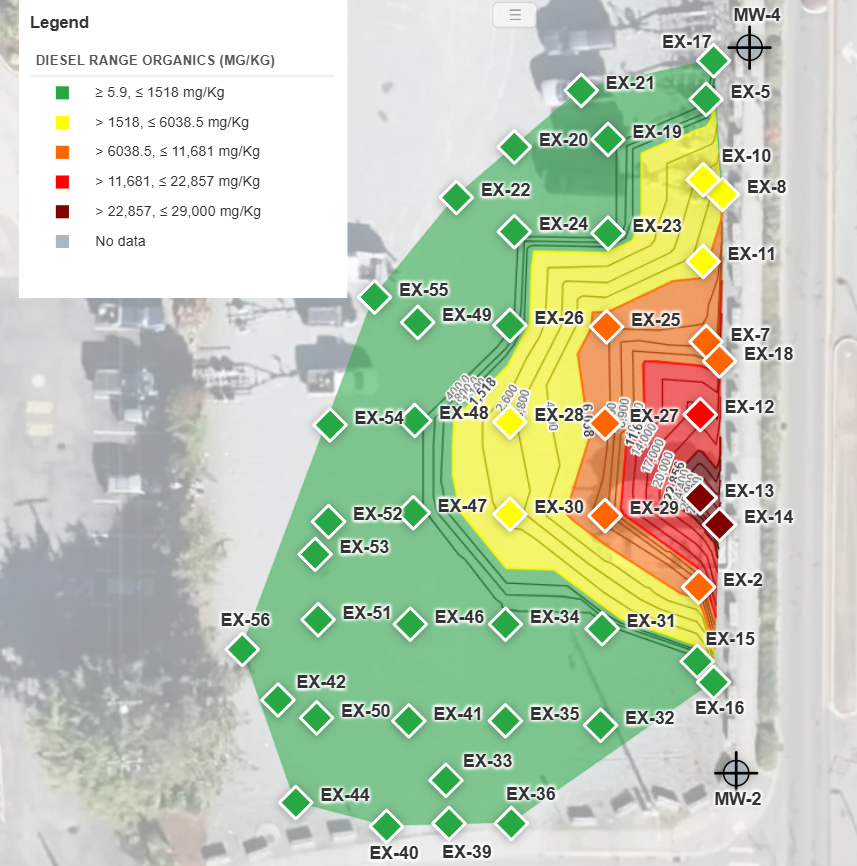
Gradient Map
Reveal hotspots and spatial trends at a glance.
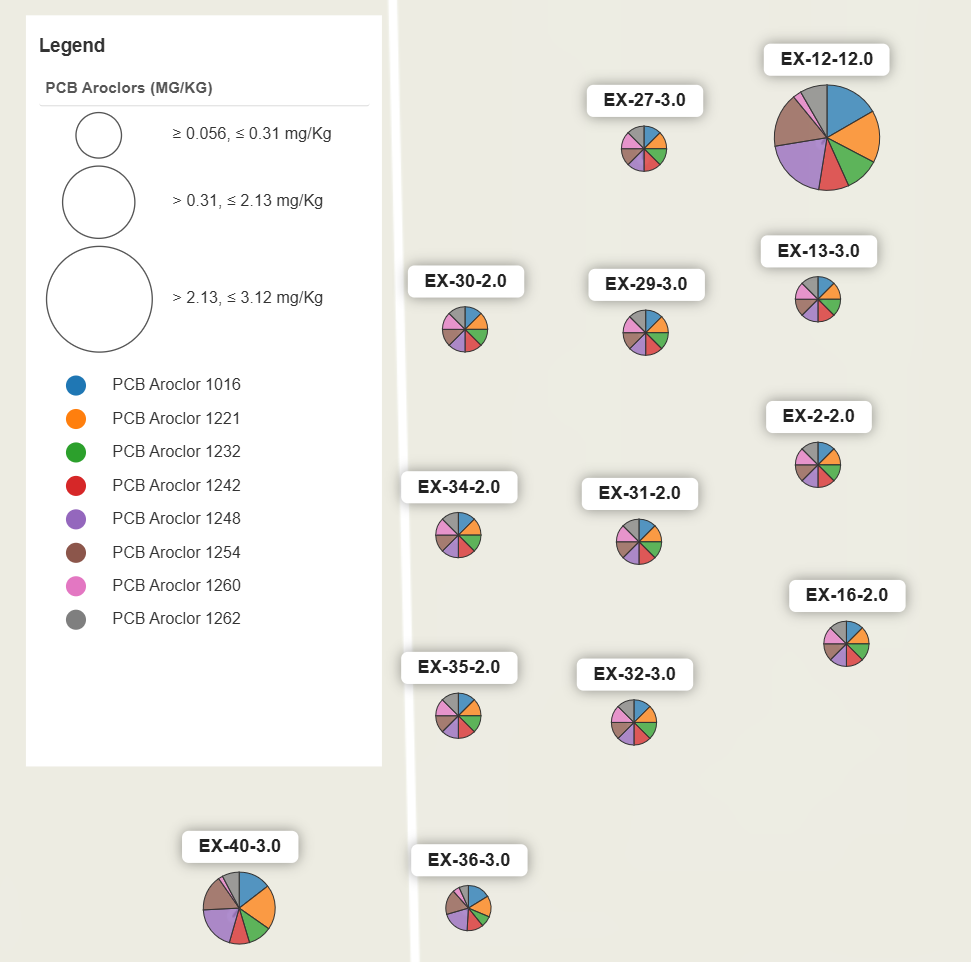
Pie Chart Map
Break down constituent makeup per location.
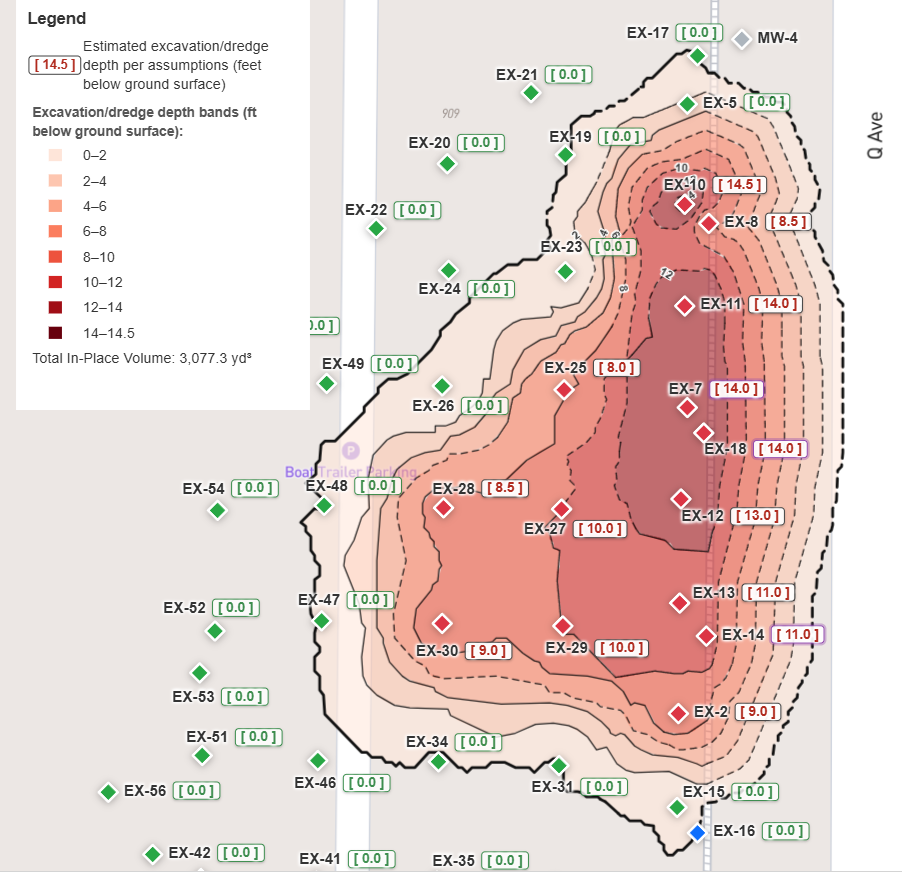
Excavation/Dredge & Data-Gap Analysis
Perform excavation/dredge modeling, estimate volume, and identify data gaps instantly.
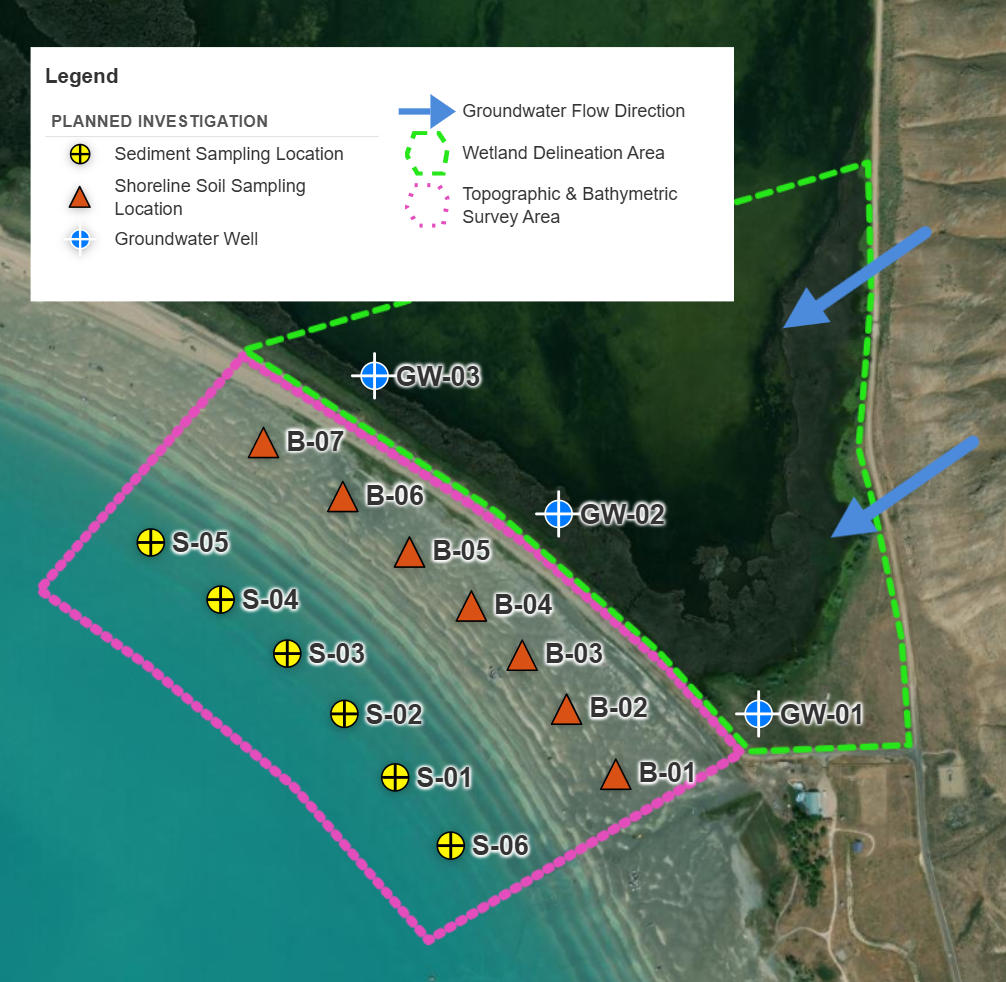
Custom Site Plan
Draw, measure, annotate, and prepare custom site plans. Easily export/import map data.
Get hours back on your next project.
Two tools, one streamlined workflow. Sign in to get started or book a demo to learn more.